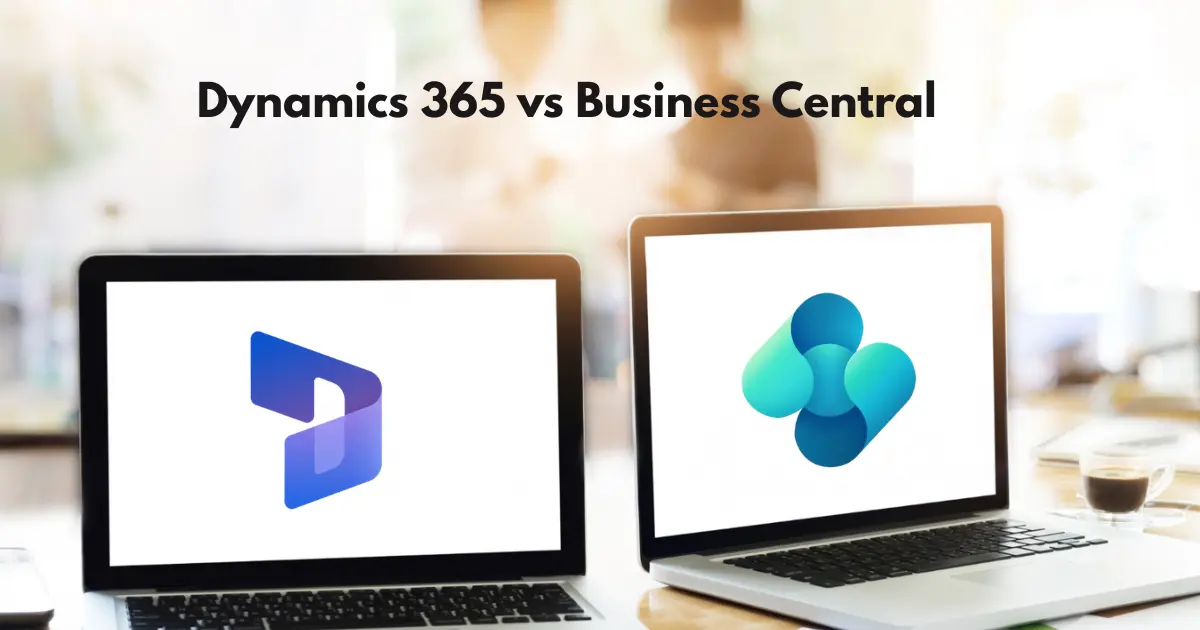
If you’ve searched “Dynamics 365 vs. Business Central,” there’s a good chance the question you’re actually asking is one of several different things. Are you asking whether Business Central is part of Dynamics 365, or a separate product? Whether it’s the same as Dynamics 365 Finance? Whether it competes with Dynamics 365 Sales? All three are common, and they have different answers.
Here’s the short version, before we get into the detail: Business Central is one application inside Dynamics 365, not a competitor to it. Dynamics 365 is Microsoft’s umbrella brand for its entire lineup of business applications — ERP and CRM together. So “Dynamics 365 vs. Business Central” isn’t really a fair fight; it’s more like asking “Microsoft Office vs. Excel.”
The comparison that actually matters depends on which specific app you had in mind. This guide covers all of them — the real ERP-to-ERP comparison against Dynamics 365 Finance and Supply Chain Management, how Business Central relates to every CRM and operations app in the family, and what to do if you’re migrating off an older Microsoft product entirely.
Is Business Central the Same as Dynamics 365?
It helps to know a bit of history, because the confusion isn’t accidental — it’s a byproduct of two acquisitions Microsoft made years apart.
Microsoft used to sell two completely separate ERP systems. Dynamics NAV (often called Navision) was built for small and mid-sized businesses. Dynamics AX (Axapta) was built for large enterprises with complex, global operations. Different codebases, different companies of origin, different target markets.
When Microsoft consolidated everything into the Dynamics 365 platform, both products were rebuilt for the cloud and renamed:
- Dynamics NAV became Business Central — the modern, cloud-based SMB ERP.
- Dynamics AX became Dynamics 365 Finance and Supply Chain Management — split into two separate applications, Finance and Supply Chain Management, that are usually licensed together.
Once you know that, most of the “Dynamics 365 vs. Business Central” confusion resolves itself. You’re not comparing two competitors. You’re looking at two different products that happened to get folded under the same brand umbrella.
What’s actually inside Dynamics 365 today
Dynamics 365 covers a lot more than ERP. Here’s the full family, grouped by what each app is actually for:
| Category | Applications |
| ERP (finance & operations) | Business Central, Finance, Supply Chain Management, Commerce, Project Operations, Human Resources |
| CRM (customer engagement) | Sales, Customer Service, Field Service, Marketing / Customer Insights |
Every reader asking “Dynamics 365 vs. Business Central” is really asking about their relationship to one or two apps on this list. The rest of this guide works through each one.
Business Central vs. Dynamics 365 Finance and Supply Chain Management
This is the comparison most people actually mean, and it’s the one real head-to-head in the entire Dynamics 365 family — two ERPs built for different scales of business.
Architecture: they don’t share a codebase
This is the most important technical fact in this entire guide, and it’s worth stating plainly: Business Central and Dynamics 365 Finance & Supply Chain Management (F&SCM) share almost nothing under the hood.
Business Central runs on AL, the language it inherited from its Dynamics NAV roots. It’s a multi-tenant SaaS product, and each “company” within a tenant is treated as a distinct, isolated entity — there’s no shared master data table for customers, vendors, or items across companies by default.
F&SCM runs on X++, inherited from Dynamics AX. It supports both pure-cloud and hybrid Azure/edge deployments, and it uses a unified database architecture with a Global Address Book — a single party record (a customer, vendor, or employee) can hold roles across multiple legal entities at once. That’s a meaningfully different approach to multi-entity data than Business Central’s model.
Customization: extensions vs. deep development
Business Central customizations happen through AL extensions, which sit on top of an untouched base product. This keeps upgrades clean, and there’s a large existing ecosystem — over 7,000 apps on Microsoft AppSource covering industry needs, compliance, and specialized workflows.
F&SCM allows deeper, more flexible customization through X++ development in Visual Studio. It’s more powerful, but it also means more maintenance overhead and a more specialized (and expensive) development skillset to support it long-term.
Pricing: the gap is not small
Business Central and F&SCM sit in genuinely different price brackets — roughly double to triple per user at full scale. The full breakdown, alongside every other app in the family, is in the Cost Comparison section below.
Timeline and complexity
Business Central implementations typically run three to six months. F&SCM implementations typically run six to eighteen months or longer for complex, multi-country rollouts. The gap isn’t arbitrary — F&SCM’s configuration surface is larger, its multi-entity and localization requirements are heavier, and the customization model itself takes longer to build and test properly.
Who each one actually fits
Business Central fits small to upper-midmarket organizations with straightforward-to-moderate complexity — a handful of entities, standard compliance needs, and a business model that doesn’t require deep, constraint-driven planning.
F&SCM fits organizations with real operational complexity: many legal entities across countries, high transaction volumes, advanced manufacturing (particularly process manufacturing with formula and co-product management), or regulatory requirements Business Central wasn’t built to handle. Some sources use company revenue north of roughly $30 million as a rough signal — useful as a gut check, not a hard rule.
A practical way to decide
Rather than a generic feature checklist, ask these questions honestly:
- How many legal entities do you operate, and across how many countries?
- Is your manufacturing discrete (assemble from parts) or process-based (formulas, batches, co-products)?
- Do you have in-house IT capacity to support a more complex platform, or do you need something a smaller team can manage?
- Where do you expect to be in three to five years — is this decision about today’s complexity, or tomorrow’s?
If most of your answers point toward “moderate, single-country, standard compliance,” Business Central is very likely the right call. If several point toward “complex, multi-country, high-volume,” it’s worth a real F&SCM evaluation before committing.
Business Central vs. every other Dynamics 365 app
Outside of F&SCM, Business Central doesn’t really compete with the rest of the Dynamics 365 family — it complements it. Here’s how each app actually relates.
Business Central vs. Dynamics 365 Sales
Business Central includes light built-in CRM — customer records, interaction history — but Dynamics 365 Sales is a dedicated pipeline and forecasting tool with AI-driven insights and relationship analytics. In practice, this usually isn’t an either/or decision. A common, sensible setup is Business Central for ERP and Dynamics 365 Sales for CRM, integrated together, with a clear agreement on which system owns which data.
Business Central vs. Dynamics 365 Customer Service
Business Central Premium includes basic service management — repair orders, service contracts, service items — but nothing close to omnichannel case management or multi-channel support ticketing. Customer Service is the dedicated app for that. If your support operation is more than a small internal team fielding occasional requests, Business Central’s service module isn’t a substitute.
Business Central vs. Dynamics 365 Field Service
A similar distinction, one level up: Business Central Premium’s service module suits small internal service teams. Field Service adds IoT-connected asset monitoring, optimized technician scheduling, and a full mobile app for field technicians — built for organizations with real dispatch and routing complexity.
Business Central vs. Dynamics 365 Commerce
Business Central has no native unified-commerce or point-of-sale platform. Retail and ecommerce capability comes through AppSource extensions — Shopify connectors, third-party POS integrations. Dynamics 365 Commerce is Microsoft’s dedicated app for unifying in-store, call-center, and digital channels into one system. Worth being direct about this gap rather than implying Business Central “does retail” on its own.
Business Central vs. Dynamics 365 Project Operations
This is the closest genuine overlap on the list. Business Central’s built-in Jobs module handles job costing, time tracking, and work-in-progress well for smaller project-based businesses. Project Operations is built for larger project-based service organizations that need resource management across many concurrent projects and a formal sales-to-project handoff. For a project-heavy business evaluating this specifically, it’s genuinely a which-one decision, not a both-together one.
Business Central vs. Dynamics 365 Human Resources
The cleanest gap on this list: Business Central has no dedicated HR or workforce module at all. Some payroll and HR functionality exists only through third-party AppSource apps — worth noting that Dynamics 365 Finance includes native payroll capability that Business Central doesn’t have. Dynamics 365 Human Resources is Microsoft’s standalone people-analytics and workforce management app.
Dynamics 365 and Business Central Cost Comparison
Pricing is where the Business Central vs. Dynamics 365 question gets concrete fastest, so it earns its own section rather than being buried inside a single comparison. Here’s Microsoft’s published 2026 list pricing across the family, per user per month:
| Application | Category | Base Tier | Higher Tier |
| Business Central | ERP (SMB) | Essentials: $80 | Premium: $110 |
| Business Central Team Members | ERP (SMB, light users) | $8 | — |
| Dynamics 365 Finance | ERP (Enterprise) | $210 | Premium: $300 |
| Dynamics 365 Supply Chain Management | ERP (Enterprise) | $210 | Premium: $300 |
| Dynamics 365 Commerce | ERP (Enterprise) | ~$210 | — |
| Dynamics 365 Human Resources | ERP (Enterprise) | ~$120–135 | — |
| Dynamics 365 Project Operations | ERP / Professional Services | ~$120–135 | — |
| Dynamics 365 Sales | CRM | Enterprise: ~$95–105 | Premium: ~$150 |
| Dynamics 365 Customer Service | CRM | Enterprise: ~$95–105 | — |
| Dynamics 365 Field Service | CRM | ~$95–105 | — |
A few things worth understanding about how this pricing actually works in practice, not just the sticker numbers:
- Attach pricing changes the math significantly. A user who already holds a full license for one app can usually add a second qualifying app at a steep discount — often $20–30/user/month instead of that app’s full price. A user licensed for both Finance and Supply Chain Management, for example, typically costs around $240/month combined rather than $420.
- Business Central is the clear affordable entry point into the entire Dynamics 365 family — it’s less than half the base price of any of the enterprise ERP apps, and a fraction of the enterprise apps’ cost once you’re licensing a full team.
- These are Microsoft’s list prices, not what most organizations actually pay. Region, negotiated volume discounts, and Enterprise Agreements all move the real number. Treat this table as a planning baseline, and confirm current rates with Microsoft or a partner before building a budget.
If you’re coming from Dynamics GP or Dynamics SL
A meaningful share of the confusion around this topic doesn’t come from the current Dynamics 365 lineup at all — it comes from organizations still running Microsoft’s older, pre-Dynamics-365 ERP products, which are now being sunset.
Dynamics GP (Great Plains)
Microsoft has published a clear, phased end-of-life timeline for Dynamics GP:
| Milestone | Date |
| New perpetual license sales end | April 1, 2025 (already passed) |
| New subscription license sales end | April 1, 2026 |
| Mainstream support (product enhancements, tax updates) ends | December 31, 2029 |
| Security updates end | April 30, 2031 |
This isn’t a rumor or a partner scare tactic — it’s Microsoft’s own published lifecycle policy. If you’re currently on GP, you’re not facing an emergency, but you are facing a genuinely finite runway.
Microsoft’s own recommended migration path is Business Central — it’s positioned as GP’s direct successor for most organizations, offering a familiar Microsoft interface, Microsoft 365 integration, and continued product investment that GP no longer receives. Organizations with more complex, multi-entity, or enterprise-scale requirements sometimes find Dynamics 365 Finance & Supply Chain Management a better landing spot instead. And it’s worth being honest that some GP customers use this transition point to evaluate non-Microsoft platforms entirely — that’s a legitimate option too, not just a Microsoft-ecosystem decision.
Dynamics SL
Dynamics SL follows the same broad pattern — an older Microsoft ERP, increasingly positioned toward Business Central or F&SCM as its modern successor depending on organizational complexity. If you’re on SL, the same evaluation questions from the F&SCM section above apply directly to your decision.
Business Central and the Power Platform aren’t a comparison at all
One more point of genuine confusion worth closing off directly: Power BI, Power Apps, Power Automate, and Copilot Studio are not alternatives to Business Central, and they’re not competing products in this comparison at all. They’re platform tools that plug into Business Central — and into every other Dynamics 365 app — for reporting, custom app-building, and workflow automation. If part of what brought you to this comparison was trying to understand where the Power Platform fits, the answer is: alongside whichever Dynamics 365 app you choose, not instead of it.
AI and Copilot
Both Business Central and Dynamics 365 F&SCM now ship built-in Copilot-powered agents — Business Central, for example, includes agents like a Sales Order Agent that monitors customer emails and prepares draft quotes, and a Payables Agent that processes incoming vendor invoices. This is a genuinely new and fast-moving part of the buying decision in 2026, worth factoring into your evaluation rather than treating pricing and functional depth as the only variables that matter.
What migrating between them actually looks like
If your organization eventually outgrows Business Central, moving to F&SCM is a real re-implementation — not an upgrade path. Different codebase, different data model, different extensibility framework. Budget and plan for it the way you would a new ERP project, because that’s functionally what it is.
The same logic applies when moving from GP, SL, NAV, or AX: all four legacy products point toward either Business Central or F&SCM as their modern successor, and the same complexity questions from earlier in this guide determine which one is the right landing spot. Once Business Central has been selected as the destination, careful preparation becomes critical, particularly when validating data, integrations, users, testing, and business processes before launch. A Business Central go-live checklist can help teams work through these areas systematically.
Takeaway:
For most organizations asking “Dynamics 365 vs. Business Central,” the practical answer breaks down like this:
- If you need ERP and your operations are small to upper-midmarket without heavy multi-entity or global complexity, start with Business Central. It’s faster to implement, dramatically less expensive, and functionally sufficient for the large majority of businesses evaluating this comparison.
- If you also need CRM, that’s Dynamics 365 Sales or Customer Service running alongside Business Central, not a reason to look elsewhere for ERP.
- If your operations are genuinely complex — many entities, multiple countries, high transaction volume, advanced manufacturing — it’s worth a real evaluation of F&SCM, not just defaulting to the cheaper option.
- If you’re on GP or SL, the sunset timeline gives you real but not urgent runway, and Business Central is Microsoft’s own recommended landing spot for most GP customers specifically.
It’s faster to implement, dramatically less expensive, and functionally sufficient for the large majority of businesses evaluating this comparison. Once the platform is selected, proper business central user training becomes an important part of a successful implementation.

Conclusion
Business Central and the wider Dynamics 365 ecosystem aren’t really competing solutions. Business Central is Microsoft’s ERP platform for small and mid-sized businesses, while other Dynamics 365 applications address larger, more complex operations or specific areas such as sales, customer service, and field operations.
The right choice ultimately comes down to your business size, operational complexity, growth plans, and the capabilities you actually need. For many organizations, Business Central offers the right balance of functionality, flexibility, cost, and implementation effort without the complexity of an enterprise-level ERP.