Choosing between Business Central Essentials and Premium is not simply a question of which plan has more features. It is about selecting the functionality your business needs today, understanding where your processes may become more demanding, and making sure your employees can use the system effectively.
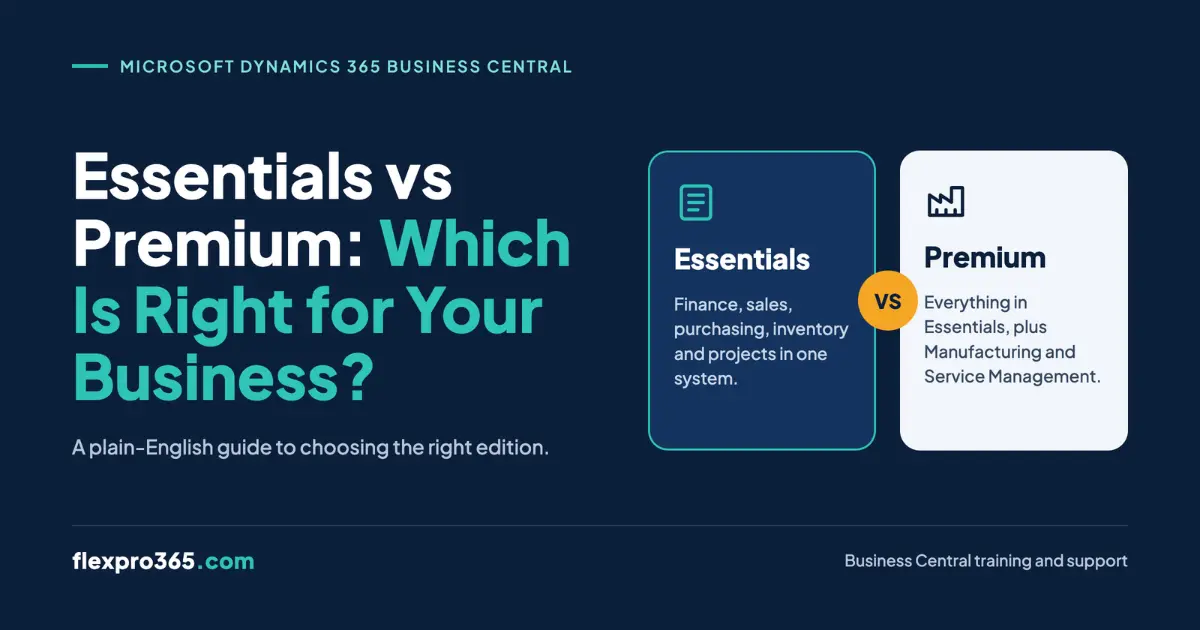
Business Central Essentials vs Premium comes down primarily to manufacturing and service management. Essentials provides core business management capabilities, including finance, sales, purchasing, inventory, and project management. Premium includes those Essentials capabilities plus manufacturing and service management. The right choice depends on your business processes, not just your company size or growth ambitions.
If you are evaluating Business Central for the first time, planning an implementation, or reviewing an existing setup, this guide explains the differences, pricing, practical business scenarios, and questions to ask before choosing a licence.
Business Central Essentials vs Premium: Key Differences
The main difference between Business Central Essentials and Premium is the additional functionality available for manufacturing and service management. Both editions provide core ERP capabilities, but Premium is designed for businesses that need those additional processes within Business Central.
| Capability | Essentials | Premium |
| Financial management | Included | Included |
| Sales and purchasing | Included | Included |
| Inventory management | Included | Included |
| Supply chain planning | Included | Included |
| Warehouse management | Included | Included |
| Project management | Included | Included |
| Manufacturing functionality | Not included as a Premium entitlement | Included |
| Service order management | Not included as a Premium entitlement | Included |
| Customisation and extensibility | Included, subject to applicable licensing rules | Included, subject to applicable licensing rules |
Source: Microsoft’s Business Central pricing and plan comparison and licensing guidance. Validate individual feature entitlements against the current licensing guide and your specific requirements.
The important distinction is that Premium does not replace Essentials with a different core ERP system. It includes the Essentials capabilities and adds manufacturing and service management functionality.
For a business that primarily manages finances, purchases, sales orders, stock, and routine reporting, Essentials may be sufficient. A manufacturer that needs Business Central’s manufacturing functionality, or a business that manages service orders through the system, should evaluate Premium.
One point deserves attention: a larger business does not automatically need Premium, and a smaller business is not automatically suited to Essentials. The processes the business must manage are more useful indicators than its turnover, employee count, or industry label alone.
What Are the Business Central Essentials Features?
Business Central Essentials supports many of the day-to-day processes that finance and operations teams rely on. It brings financial records, sales transactions, purchasing, inventory, and other core business activities into a connected system.
For businesses that do not require Premium’s manufacturing or service management functionality, these capabilities may cover their operational needs.
1. Financial management
Finance teams can use Business Central to manage general ledger entries, accounts payable, accounts receivable, bank accounts, and financial reporting.
For example, when a finance manager reviews outstanding customer invoices, they need to understand what has been posted, what remains unpaid, and how those transactions affect the company’s financial position.
Business Central connects these activities to the wider business process, helping finance teams work with information recorded across sales, purchasing, and other areas.
The precise reports, approval workflows, and accounting procedures available to users will depend on the organisation’s configuration and permissions.
2. Sales and purchasing
Essentials supports the core processes involved in selling to customers and purchasing from suppliers.
A sales team might create quotations, convert them into sales orders, and follow the process through shipment and invoicing. A purchasing team might create purchase orders, record receipts, and process supplier invoices.
These activities are connected to other parts of the system. For example, a sales transaction can affect inventory and financial records, depending on how the transaction is processed.
This connection is useful for businesses that want to reduce reliance on disconnected spreadsheets and repeated manual data entry.
3. Inventory and warehouse management
Businesses that buy, hold, and sell stock need reliable information about item quantities, availability, and movements.
Business Central provides inventory and warehouse capabilities that help businesses manage stock and related transactions.
However, the exact warehouse functionality required should be assessed carefully. A business tracking inventory across locations may have different requirements from one that needs more detailed warehouse processes, such as directed put-away and picking.
Do not assume that selecting Premium automatically provides every warehouse capability a business might need. Review the required functionality, configuration, and any applicable extensions before making a licensing decision.
4. Supply chain planning and project management
Essentials also includes supply chain planning and project management capabilities.
These can be relevant to businesses coordinating purchasing, stock availability, demand, and project-related costs or activities.
For example, a company managing customer projects may need to monitor project budgets and costs alongside its financial records. A distributor may need to plan purchasing around demand and available inventory.
The key question is whether the standard capabilities support the business’s actual processes. If the requirements extend into manufacturing or service management, the business should assess the relevant Premium functionality.
What Are the Business Central Premium Features?
Business Central Premium includes the core functionality available in Essentials, plus manufacturing and service management.
These additional capabilities matter when a business needs to manage production activities or structured service operations within Business Central rather than relying on separate tools or manual workarounds.
1. Manufacturing management
Manufacturing functionality is relevant to businesses that need to manage production processes within Business Central.
Depending on the requirements and configuration, this can include production bills of materials, production orders, routings, work centres, and capacity planning.
Consider a business that manufactures equipment from multiple components.
The operations team needs to understand what materials are required, how production is organised, which resources are involved, and how production activity relates to inventory and business planning.
A manufacturer that needs these processes should assess Premium’s manufacturing capabilities against its production requirements.
Not every business that handles physical products needs this functionality. A company that purchases finished goods and resells them may have different requirements from one that plans and manages its own production.
2. Service management
Premium also includes service management functionality for businesses that provide after-sales service or maintain equipment for customers.
Relevant processes can include service orders, service items, service contracts, and service planning.
For example, a business that sells equipment and provides ongoing maintenance may need to record service requests, organise service work, and maintain information about the equipment it supports.
If those activities form an important part of the business, it is worth assessing whether Business Central’s service management capabilities meet the requirements.
A business that simply needs to record customer enquiries or manage basic follow-ups should not assume that it needs Premium solely because it provides customer support. The decision depends on the specific service processes it needs to manage.
When does Premium become necessary?
Premium should be considered when the business requires functionality covered by its manufacturing or service management entitlements.
Before deciding, document the processes your team needs to perform and verify that the relevant functionality is included in the edition you plan to use. Some requirements may also depend on configuration, permissions, extensions, or integrations.
The goal is to select an edition that supports the work your employees actually need to do, without paying for capabilities that are not relevant to your requirements.
Which Business Central Licence Is Right for Your Business?
The easiest way to compare the editions is to look at how different businesses operate. Industry alone is not enough to make the decision, because two companies in the same sector can have very different processes.
Scenario 1: A distributor selling finished products
A distributor purchases finished goods from suppliers, stores them in a warehouse, sells them to customers, and manages invoices and stock levels.
Its main requirements are financial management, sales, purchasing, and inventory control.
Essentials may be sufficient if the standard capabilities cover the business’s requirements and it does not need Premium’s manufacturing or service management functionality.
The business should still confirm whether its warehouse processes, integrations, and reporting needs require additional functionality.
Scenario 2: A business assembling kits or product bundles
A business may purchase individual components and combine them into kits before selling them to customers.
For example, a supplier might sell a package containing several products that are stocked individually.
Assembly and manufacturing are not interchangeable terms in Business Central. Assembly processes can support the combination of components into finished items or kits, while manufacturing functionality addresses a broader set of production requirements.
A business with straightforward assembly needs should evaluate the relevant Essentials capabilities before assuming it needs Premium. If it requires production orders, routings, work centres, or other manufacturing processes, it should assess Premium.
The correct decision depends on the actual workflow, not simply whether the business describes itself as a manufacturer.
Scenario 3: A manufacturer managing production
A manufacturer may need to manage production bills of materials, production orders, routings, work centres, and capacity planning.
These requirements point towards evaluating Premium’s manufacturing functionality.
For example, a business producing equipment from multiple components may need to plan production activities, understand material requirements, and coordinate resources.
Essentials should not be selected on price alone if the business’s required manufacturing processes depend on Premium functionality.
The implementation team should validate the production requirements and confirm that the intended configuration will support them.
Scenario 4: An equipment supplier providing ongoing maintenance
An equipment supplier may sell products and also provide repairs, maintenance visits, or service contracts.
If it needs to manage service orders, service items, contracts, and service planning within Business Central, Premium is the edition to evaluate.
However, if the business only records occasional support enquiries and does not require the service management functionality, it should assess whether its existing processes can be supported without that additional entitlement.
A practical decision matrix
| Your business requirement | Edition to evaluate first | What to confirm |
| Finance, purchasing, sales, and inventory | Essentials | Whether core functionality meets all operational requirements |
| Selling finished products | Essentials | Inventory, warehouse, and fulfilment requirements |
| Assembling kits or bundles | Essentials first | Whether Assembly Management meets the required process |
| Managing production orders and routings | Premium | Required manufacturing capabilities and configuration |
| Managing service orders and service contracts | Premium | Required service management capabilities |
| Manufacturing and after-sales service | Premium | Both manufacturing and service management requirements |
This is a starting point, not a substitute for a requirements assessment. Before committing, ask the implementation partner to demonstrate the processes that matter to your business.
Business Central Essentials vs Premium Pricing in the UK and Ireland
Business Central Essentials and Premium have different subscription prices. The difference matters when budgeting for multiple users, but the subscription fee is only one part of the total cost of running the system.
Microsoft’s regional pricing pages currently list the following prices.
| Pricing detail | Ireland | United Kingdom |
| Essentials per user/month | €69.30 | £61.50 |
| Premium per user/month | €95.30 | £84.60 |
| Monthly difference per user | €26.00 | £23.10 |
| Annual difference per user | €312.00 | £277.20 |
How much more would Premium cost your business?
Consider a business with 10 users who need the same edition.
Using the prices above, the annual subscription difference would be:
| Market | Additional annual subscription cost for 10 users |
| Ireland | €3,120 |
| United Kingdom | £2,772 |
These figures are calculated from the published monthly price differences multiplied by 10 users and 12 months. They exclude VAT and assume the displayed rates remain unchanged.
This calculation helps you understand the price difference, but it does not establish which edition offers better value. If Premium provides manufacturing or service management functionality your business genuinely needs, the additional cost may be justified. If you do not need those capabilities, Essentials may be the more appropriate choice.
What other costs should you consider?
When planning a Business Central budget, consider the wider costs associated with implementation and ongoing use.
- Implementation and configuration: Requirements gathering, setup, data migration, testing, and process changes may form part of the project.
- Extensions and integrations: Additional applications or connections to other systems may involve separate costs.
- Training: Users need to understand how to complete their responsibilities in the configured system.
- Ongoing support: Your business may need assistance with user questions, process changes, troubleshooting, or new functionality.
- Internal time: Employees and managers may need to contribute to requirements gathering, testing, training, and go-live preparation.
These costs depend on the business and the scope of its project. Do not assume they are automatically included in the licence price, and avoid treating a generic estimate as a quote for your organisation.
A useful approach is to compare the cost of each edition alongside the functionality it provides and the wider implementation requirements.
Can You Upgrade from Business Central Essentials to Premium?
A business can move from Essentials to Premium, but the change should be planned rather than treated as a simple switch that has no operational consequences.
If your current licence supports your business today but your requirements change, reassess the functionality you need and confirm the licensing and environment requirements before making the change.
Microsoft’s guidance on enabling the Premium experience explains an important distinction: changing the company’s experience setting does not assign Premium licences. Users with Essentials licences cannot sign in to a company configured to use the Premium experience.
This means that the required licence assignments and the environment’s experience setting must be considered together.
When should you reassess your licence?
Review your requirements when your business plans to:
- Introduce manufacturing processes that require production functionality.
- Manage service orders or service contracts within Business Central.
- Replace manual workarounds with more structured production or service processes.
- Change how its teams manage operations as the business develops.
A review should begin with the processes your team needs to support, not with the assumption that every growing business must move to Premium.
What should you check before changing editions?
Before making a licensing change, confirm:
- Which additional capabilities the business needs.
- Whether those capabilities are covered by Premium or require additional configuration, extensions, or services.
- Which users need Premium licences.
- How the company experience setting and user licence assignments must be handled.
- Whether users need additional training to work with new functionality.
- Whether testing is required before the updated setup is used in day-to-day operations.
A change in licensing does not automatically mean that a full reimplementation is required. Equally, changing licences does not complete any process redesign, configuration, integration, or training work that may be needed.
Common Mistakes When Choosing a Business Central Licence
Choosing an edition based on assumptions can create unnecessary costs or leave a business without functionality it needs. These are the main issues to avoid.
1. Choosing by company size
A larger company does not automatically need Premium, and a smaller business may have requirements that make Premium appropriate.
Better approach: Document the business processes you need to manage and match them to the required functionality.
2. Assuming every business that handles products needs Premium
A distributor, an assembly business, and a manufacturer can have different requirements even if they sell similar products.
Better approach: Explain the actual workflow to your implementation partner and confirm whether assembly functionality is sufficient or whether manufacturing functionality is required.
3. Comparing only subscription prices
A lower monthly fee may appear attractive, but it does not help if the edition fails to support a required business process.
Better approach: Compare the subscription cost alongside functional requirements, implementation scope, and ongoing operating costs.
4. Assuming Premium automatically covers every requirement
Premium includes manufacturing and service management functionality, but it does not guarantee that every specialised requirement is met without further work.
Better approach: Validate the precise requirements, configuration, permissions, and any necessary extensions or integrations.
5. Leaving training until go-live
Users can struggle even when the system is configured correctly. If they do not understand their workflows, they may make mistakes or return to familiar spreadsheets and manual workarounds.
Better approach: Include role-based training, practical exercises, and user acceptance testing in the implementation plan.
6. Failing to plan for future requirements
A business does not need to buy Premium simply because it might need it one day. However, it should understand which planned changes could affect its licensing decision.
Better approach: Choose the edition that meets current requirements and establish clear triggers for reassessing it as business processes change.
How Licensing Decisions Affect Business Central Training and Adoption
Selecting the right edition is an important step, but the licence alone does not determine whether your employees can use Business Central effectively.
Finance managers, sales users, purchasing teams, warehouse staff, and operations leads work with different processes. Training should reflect those differences and the way Business Central has been configured for the organisation.
Match training to users’ responsibilities
Consider a finance team using Essentials. Users may need to understand purchase invoice processing, bank reconciliation, financial reporting, and month-end procedures.
A manufacturer using Premium may also need training around production orders, material requirements, and the processes that connect production activity with inventory and finance.
The training plan should focus on the functions each user needs to perform, rather than asking every employee to learn every module.
Include training in implementation planning
Training should be considered alongside requirements gathering, configuration, and user acceptance testing.
During UAT, employees should test realistic business processes and confirm that the configured system supports their responsibilities. They also need enough knowledge to carry out those tests properly.
For businesses preparing for go-live, our Business Central go-live checklist explains why people readiness matters alongside technical readiness.
Plan for ongoing support
Training is not only for new implementations. Employees may need help when processes change, new users join, additional functionality is introduced, or recurring mistakes reveal a gap in their understanding.
For businesses in Ireland and the UK, Business Central training services from FlexPro365 provide tailored, role-based training, UAT support, and go-live assistance. The focus is on helping users understand their actual workflows and perform their responsibilities confidently in Business Central.
The goal is not simply to show employees where to click. It is to help them understand how their actions affect the wider business process.
Conclusion
The decision between Business Central Essentials and Premium should begin with your business processes. Essentials may be sufficient for organisations focused on core finance, sales, purchasing, inventory, and project management. Premium is the edition to assess when manufacturing or service management functionality is required.
Compare the available capabilities, verify the licensing rules, and consider the wider costs of implementation, training, and ongoing support. If your requirements change, review the decision rather than assuming that every business needs the same edition throughout its time using Business Central.
Ultimately, Business Central Essentials vs Premium is a decision about functional requirements, not simply price or company size. The right choice gives your business the capabilities it needs while helping employees understand how to use them.
If your organisation is implementing Business Central, preparing for go-live, or helping existing users improve their day-to-day processes, FlexPro365 can help.