If you’ve searched “Business Central modules” before landing here, you’ve probably already read two or three articles that all say the same thing: Financial Management handles money, Sales & Marketing handles customers, Inventory handles stock. True, but useless. It doesn’t tell you what a controller actually clicks on their first Monday, why a new AP clerk gets stuck on the difference between a Purchase Invoice and a Purchase Credit Memo, or why “just turn on Warehouse Management” is terrible advice for 80% of small businesses.
This guide is written the way we’d onboard a new employee at a client site — module by module, page by page, with the mistakes we watch people make in week one. We train end users on Business Central for a living, so this isn’t a licensing brochure. It’s the guide we wish existed before we had to write our own internal training decks.
Quick orientation: Essentials vs. Premium, and what “module” even means in BC
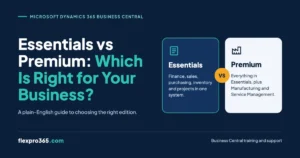
Technically, Business Central doesn’t sell you “modules” — it sells you a license tier (Essentials or Premium), and inside that license, functionality is organized into areas Microsoft calls “role centers,” “extensions,” and “app areas” that most consultants just call modules for convenience. The distinction matters because licensing is per user, not per module. You can’t buy Manufacturing for three people and Essentials for the rest of the warehouse — every individual user is assigned Essentials or Premium, and Premium users get everything Essentials users get, plus two extra functional areas.
| Module | Essentials | Premium |
| Financial Management | ✓ | ✓ |
| Sales & Marketing (incl. Relationship Management/CRM) | ✓ | ✓ |
| Purchasing & Payables | ✓ | ✓ |
| Inventory | ✓ | ✓ |
| Warehouse Management | ✓ | ✓ |
| Project Management (Jobs) | ✓ | ✓ |
| Human Resources | ✓ | ✓ |
| Assembly Management | ✓ | ✓ |
| Service Order Management | — | ✓ |
| Manufacturing | — | ✓ |
As of the October 2025 price update, Essentials runs about $80/user/month and Premium about $110/user/month, with the $30 gap buying you exactly those two modules — Manufacturing and Service Order Management. If neither production floors nor dispatched technicians are part of your business, paying for Premium seats across your whole team is money that should be going toward implementation or training instead.
One nuance almost every “modules” article skips: you don’t have to activate everything a license entitles you to. Business Central ships with all Essentials functionality live in a fresh environment, but that doesn’t mean your team should be exposed to Warehouse Management pages if you’re a single-location business fulfilling from one shelf. Part of a good rollout is hiding complexity your team doesn’t need yet, not just turning capability on because you’re paying for it.
Financial Management
This is the module every BC implementation is built around, because even a pure-services company that never touches Inventory still needs a general ledger. It’s also the module where “I read the manual” and “I actually know how to use this” diverge the most.
What lives here, in practice:
- Chart of Accounts and the G/L Account Card — where account categories, posting groups, and consolidation settings live
- General Journals — the workhorse page for manual entries, recurring journals, and allocations
- Cash Receipt Journals / Payment Journals — separate from the general journal, and a common source of confusion for new AP/AR staff who try to post everything through one journal
- Bank Account Reconciliation — including automatic bank feed matching if you’ve connected a supported bank
- Fixed Assets — acquisition, depreciation books (you can run multiple depreciation methods on the same asset simultaneously, e.g., book vs. tax), disposal
- Cash Flow Forecast — a genuinely useful, underused page that projects liquidity based on open sales/purchase documents, not just historical trend
- Dimensions — this is the feature that separates a mediocre BC rollout from a great one. Dimensions let you tag every transaction (department, project, location, cost center) without multiplying your chart of accounts. Most companies that “hate their reporting” in BC actually just never set up dimensions correctly at go-live. Locking down posting groups and dimension structures on paper before you cut over — the kind of thing a proper Business Central go-live checklist is built to catch — is dramatically cheaper than untangling six months of transactions posted against the wrong setup after the fact.
Where new users actually get stuck: posting groups. BC ties every customer, vendor, and item to a combination of posting groups (Gen. Bus. Posting Group, Gen. Prod. Posting Group, VAT Posting Group, etc.) that silently determine which G/L accounts a transaction hits. Nobody explains this well in onboarding, and it’s the single biggest source of “why did this invoice post to the wrong account” support tickets we see. If your training doesn’t include a walkthrough of the General Posting Setup and VAT Posting Setup matrices, your finance team is operating on guesswork.
Advanced but worth knowing: Business Central supports true multi-entity intercompany transactions and financial consolidation natively — you don’t need a bolt-on tool just because you have two legal entities, though most mid-market companies with 3+ entities do eventually add something like Jet Analytics or Power BI for consolidated reporting speed.
Sales & Marketing (including Relationship Management)
Business Central actually bundles two things under this heading that people often conflate: transactional sales (quotes → orders → invoices) and lightweight CRM (contacts, leads, opportunities, campaigns). It is not Dynamics 365 Sales — if your sales team needs pipeline stages, lead scoring, or marketing automation, most organizations still license Dynamics 365 Sales separately and integrate it. BC’s built-in CRM is meant for small teams or companies that just need contact history tied directly to their financials.
Core workflow pages:
- Sales Quote → Sales Order → Sales Invoice — BC’s document chain lets you convert a quote to an order with one click without re-keying anything, and you can post a partial shipment and invoice it separately later, which trips up teams coming from simpler systems that expect ship and invoice to happen together
- Customer Card — where payment terms, credit limits, and the posting groups mentioned above are set per customer
- Item/Customer Price and Discount setup — supports date-effective pricing, quantity breaks, and customer-specific agreements, all of which can stack, which is powerful but genuinely confusing to configure correctly the first time
- Contacts, Segments, and Opportunities — the CRM-lite layer; Segments let you build a mailing list from saved filters (e.g., “all contacts in Texas who bought Product X last year”) and push it to a marketing campaign
Training reality check: the most common new-user mistake in this module is posting a Sales Credit Memo incorrectly linked (or not linked) to the original invoice, which throws off both inventory quantities and customer aging reports. A five-minute walkthrough on “always apply the credit memo to the original invoice unless you have a specific reason not to” saves weeks of cleanup.
Purchasing & Payables
The mirror image of Sales, but with a few extra layers most guides skip entirely.
- Purchase Requisitions and Blanket Orders — a blanket order lets you commit to a vendor for a large quantity over time and release smaller purchase orders against it as needed, which is standard for anyone with negotiated annual contracts
- Purchase Invoice vs. Purchase Order matching — BC supports both two-way matching (PO to invoice) and three-way matching (PO to receipt to invoice); if your team is manually eyeballing quantities instead of letting BC flag discrepancies, you’re not using half of what you’re paying for
- Item Charges — this is the feature almost nobody outside experienced consultants knows about, and it’s a big deal: it lets you allocate freight, duty, or other landed costs across the items on a purchase, so your inventory valuation actually reflects true landed cost instead of just the vendor’s line-item price
- Payment Discounts and the Suggest Vendor Payments batch job — BC will proactively recommend which invoices to pay today to capture early-payment discounts without you having to comb through aging reports manually
Where training actually pays for itself here: teams that don’t understand Invoice Discounts vs. Line Discounts (two entirely separate mechanisms) frequently double-apply or under-apply discounts, and it silently distorts both vendor spend reporting and inventory cost.
Inventory Management
Inventory in BC is deceptively deep. Most competitor articles list “track stock, set costing method” and move on. Here’s what actually matters operationally:
- Costing methods per item — FIFO, LIFO, Average, Specific, and Standard are all supported, and you set the method per item, not globally — meaning a single company can run Standard costing on manufactured items and FIFO on purchased resale items simultaneously
- Item Tracking (serial/lot numbers) — critical for recall management; you can trace a lot number forward to every sales order it shipped on and backward to the purchase receipt it came from, which matters enormously for food, pharma, and regulated distributors
- Item Variants — for size/color/style combinations without creating a separate item card for every SKU permutation
- Non-Inventory and Service items — for things you sell or buy but never physically stock (warranties, freight lines, labor)
- Physical Inventory Journals vs. Cycle Counting — BC supports both a full annual count and rolling cycle counts by ABC classification, and most companies that struggle with inventory accuracy are still doing the former when the latter would catch discrepancies faster
The mistake we see constantly: companies go live without correctly setting Reorder Points and Reorder Quantities on the Item Card, then wonder why the “Requisition Worksheet” (BC’s built-in replenishment planning tool) produces useless suggestions. Planning parameters are the unglamorous setup work that makes the flashy automation actually work.
Warehouse Management
This is the module most SMBs turn on prematurely. Rand Group and Tigunia both describe what it does; almost nobody tells you when you actually need it.
Business Central actually offers three tiers of warehouse sophistication, not one on/off switch:
- Basic location — just tracks quantity by location, no bins
- Bin-level tracking — quantities tracked down to individual bins, still relatively simple put-away/pick
- Advanced Warehouse Management — directed pick, directed put-away, warehouse worker task queues, cross-docking, and cycle counting by bin — this is the tier competitor articles are usually describing when they show screenshots
If you have one warehouse, don’t ship high volumes, and your team can physically see all your inventory from one spot, bin-level or advanced warehousing adds clicks without adding value. It becomes worth the complexity once you have multiple pickers working simultaneously, need directed put-away to keep fast-moving items near the dock, or run cross-docking. This is exactly the kind of decision that should be made in a scoping conversation before go-live, not discovered six months in when your team is fighting the system. And whichever tier you land on, warehouse staff generally learn directed pick and put-away logic far faster through structured Business Central training services walking through real order scenarios than by figuring it out live during your first busy shipping week.
Project Management (formerly “Jobs”)
Microsoft renamed this from Jobs to Projects in recent releases, but the underlying object model — Job, Job Task, Job Planning Line — is unchanged, and older documentation and forum answers still use “Jobs,” which confuses people searching for help.
- Job Planning Lines — where you budget both cost and price for each task, by resource, item, or G/L account, before a single hour is billed
- Time Sheets — resource time entry that can flow directly into job costing and, if applicable, payroll integration
- WIP (Work in Progress) methods — BC supports several WIP calculation methods (Cost Value, Sales Value, Percentage of Completion, Completed Contract) that determine how unbilled project costs show up on your balance sheet before final invoicing — getting the wrong WIP method for your business model is a classic first-year accounting mistake for project-based companies
- Job Invoicing — usage-based, milestone-based, or fixed-price, all supported from the same job
Reality check for training: project managers and finance often use completely different pages for the same job (Job Card vs. Job Planning Lines vs. Job Statistics), and without cross-training, PMs end up keeping shadow spreadsheets because they never learned where “their” numbers actually live in BC — which defeats the entire point of a unified system.
Service Order Management (Premium)
For companies dispatching technicians, running maintenance contracts, or managing installed-base equipment.
- Service Items — track individual pieces of equipment at a customer site, including warranty status and full service history, independent of the sales transaction that originally sold it
- Service Contracts — recurring billing with defined response-time SLAs
- Dispatch Board — assigns service orders to technicians based on skill set and availability
- Loaner/Repair tracking — BC can manage swap units and depot repair workflows, not just on-site service
If your “service” is really just warranty tracking on things you sell, you may not need this — Customer Service capability inside Sales & Marketing can often cover lighter needs. Service Order Management earns its Premium price tag when you have dedicated field technicians and contractual SLAs to track.
Manufacturing (Premium)
The most misunderstood Premium module, because “Manufacturing” in BC spans a huge range of complexity.
- Assembly Management (actually included in Essentials, confusingly) — for simple kitting: build a sellable item from components in one step, generated directly off a sales order line. If all you do is bundle components into kits, you may never need to pay for full Manufacturing at all.
- Production BOMs and Routings — full Manufacturing requires both: the BOM defines what goes into a product, the Routing defines how (which operations, at which work/machine centers, in what sequence)
- Capacity Planning and Finite Loading — BC can schedule against actual machine/work center capacity, not just infinite theoretical capacity, which matters once you have real bottleneck resources
- Subcontracting — routing operations can be sent to an outside vendor and tracked as part of the production order
- Standard vs. Actual costing on production orders — variance reporting (material, capacity, and subcontracted variances) is built in but frequently never configured, meaning manufacturers pay for the module and still can’t answer “why did this job cost more than standard?”
If you’re evaluating whether you need Assembly Management (Essentials) or full Manufacturing (Premium): the test is whether your production involves routings and multi-step operations with scheduling dependencies, or just “combine these five parts into one sellable unit.” The former needs Premium; the latter doesn’t.

How to actually decide what to turn on
Ignore the generic “start with finance” advice for a second and ask three sharper questions:
- What process currently lives in a spreadsheet that shouldn’t? That’s your first configuration priority, module-agnostic.
- Which module, if misconfigured, causes financial statement errors? Posting groups, dimensions, and costing methods need to be right on day one — everything else can be refined after go-live.
- Which module has the steepest training curve relative to how often your team uses it? Advanced Warehouse Management and full Manufacturing routings are powerful and genuinely difficult to self-teach from Microsoft Learn documentation alone. Budget real training time for these, not a one-hour walkthrough.
That third question is the one every vendor-written “modules” guide skips, because most of them are written by implementation partners trying to sell you the software, not the people who have to teach your team to use it competently six months after go-live when the consultants have moved on to the next client.
Conclusion
Every module in Business Central is genuinely well built — the gap most companies hit isn’t the software, it’s the distance between “we turned this on” and “our team actually understands why it works this way.” Financial Management is only as reliable as your posting groups and dimensions. Inventory only plans well once your reorder policies are set correctly. Warehouse and Manufacturing are only worth their Premium price tag if your team has been trained past the “here’s the button” level into the “here’s what breaks if you skip this step” level.
That’s the real answer to “which modules do I need”: start with whatever process is currently held together by a spreadsheet, get the modules that affect your financial statements configured correctly before go-live, and budget real training time for anything with a steep learning curve — not a one-hour walkthrough the week you launch.
Reading about modules is the easy part. Configuring them correctly and getting your team fluent enough that they stop building shadow spreadsheets is where implementations actually succeed or fail. That’s the gap FlexPro365 exists to close: hands-on, role-based Business Central training that goes past “here’s the button” into “here’s why the button does what it does.”